
Decato vs HomeDesigns AI when fit has to be proven
This is the closest comparison on the site, because HomeDesigns AI already does the thing most AI tools do not: it links the exact furniture in a design to somewhere you can buy it, and it estimates the budget. The difference is not whether the furniture is real. It is whether anything checked that it fits.

Decato
The same real products you could shop from an image, but measured against real walls first.
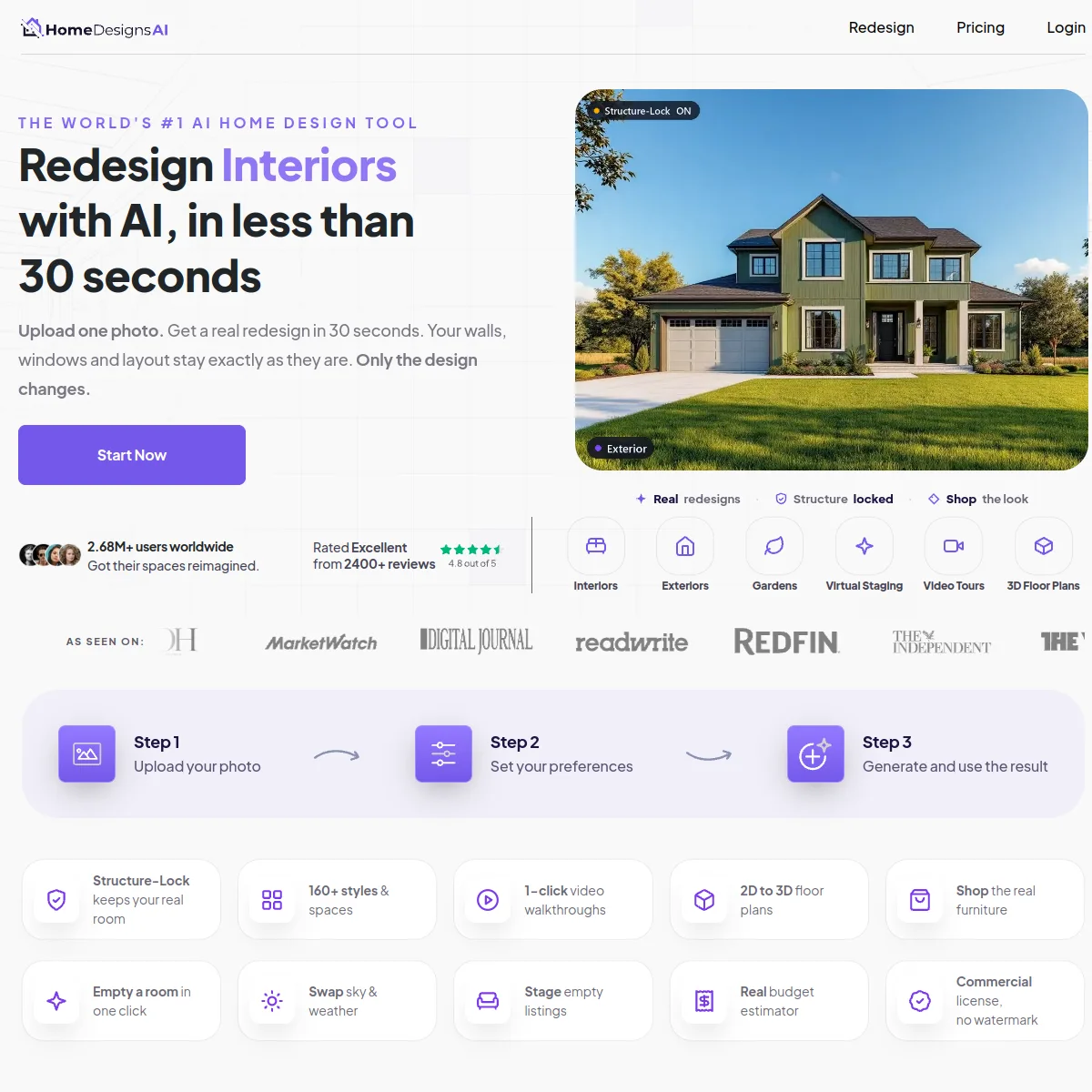
A broad AI redesign tool that goes further than most: one photo in — a phone shot, a hand sketch, a blueprint or a listing image — and it returns a redesign with shoppable links to the exact furniture shown, plus a budget estimator and a 2D-to-3D floor plan conversion.
A Mac app that will not start without a dimensioned plan. It matches real, in-stock products to that geometry, rejects anything that crosses a wall or blocks a door swing, and returns an editable project with a priced spec and a client deck.
If you have a photograph and want a redesign you can shop, HomeDesigns AI does that directly and covers exteriors and gardens too. If a client is going to be billed for the room, and a sofa arriving too deep is your problem, the fit check is what you are buying from Decato.
What each one does
Starts from a dimensioned floor plan
It converts 2D plans; it does not keep the geometry
Starts from a single photo
Links the furniture shown to somewhere you can buy it
Shows a budget
A tracked total vs an estimate
Measures the piece against your actual walls
Produces a spec a supplier can fill
The work survives as a project, not a file
Exteriors and gardens
Video walkthroughs
Works on Windows or in a browser
Decato is a Mac app
Neither tool wins everywhere
HomeDesigns AI does things Decato cannot do at all. Knowing exactly where the line falls is more useful than being told one tool is better.
- The plan is kept as measurements, not converted into a picture and then reasoned about
- Both tools hand you real products; only one of them measured them against your walls
- An estimate tells you roughly what a room costs. A spec tells a supplier what to send
- When a client moves a wall or halves the budget, the project is revised, not regenerated
- Genuinely sources real, purchasable furniture, with one-click ordering
- A budget estimator, so cost appears before the commitment
- Works from a single photo — no plan to draw, and far quicker to a first look
- Covers exteriors and gardens, which Decato does not touch at all
- Video walkthroughs and virtual staging, neither of which Decato produces
If you move across
You are not giving up real furniture links by moving; you already had them. What you gain is the plan geometry that decides whether those pieces fit.
- The shopping list HomeDesigns AI produced — Decato re-checks each piece against the plan
- The floor plan you fed their 2D-to-3D converter, which Decato keeps as geometry instead
- The budget their estimator gave you, which Decato tracks against as the room fills
- Generated images or video walkthroughs. Decato has no image import
- Exterior and garden work — Decato has no answer to either, so keep that tool
- Subscriptions — the two are billed separately, with no migration path
Compare Decato against the next closest workflow.
If this page is close but not exact, use the routes below to compare Decato against staging-first, retail-first and render-first alternatives with the same decision lens.
Decato vs REimagineHome
Both source real furniture. REimagineHome fits it to a photo; Decato fits it to a dimensioned plan.
Staging-firstDecato vs Virtual Staging AI
Staging sells the photo. Decato specifies the room — real products, measured fit, a priced spec.
Service-outputDecato vs BoxBrownie
BoxBrownie sells edited images per job. Decato sources a room into a priced specification.
Retail-workflowDecato vs Wayfair
Wayfair plans your room and fills its own cart. Decato checks the fit and hands over a spec.
Most comparison tools judge the screenshot. Designers still have to deliver the room.
Decato is optimized for the step after concept approval: matching real products, checking fit, keeping the room inside budget and turning the output into a defendable package instead of a render to reverse-engineer.
Common questions
Does HomeDesigns AI source real furniture?
Yes. Its site offers to "shop the exact furniture you see" in one click, and includes a budget estimator (Checked August 2026). Any comparison claiming otherwise is out of date. The difference with Decato is not whether the products are real — it is whether they were checked against the actual room before being shown to a client.
So what does Decato do that HomeDesigns AI does not?
It works from geometry. Decato needs a dimensioned plan and uses it: a piece that crosses a wall, blocks a door swing or breaks a clearance is moved or dropped before the render exists. A redesign generated from a photograph has no wall lengths to test against, so fit is left to the eye.
Is a budget estimator the same as a spec?
Not quite. An estimate tells you roughly what the room costs. A spec lists each product with its dimensions, price and stock status, in the layout it belongs to, so a client can approve it and a supplier can fill it. Decato produces the second; HomeDesigns AI advertises the first.
Which is faster?
HomeDesigns AI, without question. It takes a single photo and needs no plan, so there is nothing to draw before the first result appears. Decato asks for a dimensioned plan up front, which is the cost of every check that follows.
Can it handle exteriors or gardens?
HomeDesigns AI can, and Decato cannot — it is an interiors tool and has no answer to landscaping, facades or gardens. If a project runs past the interior, that work stays where it is.