
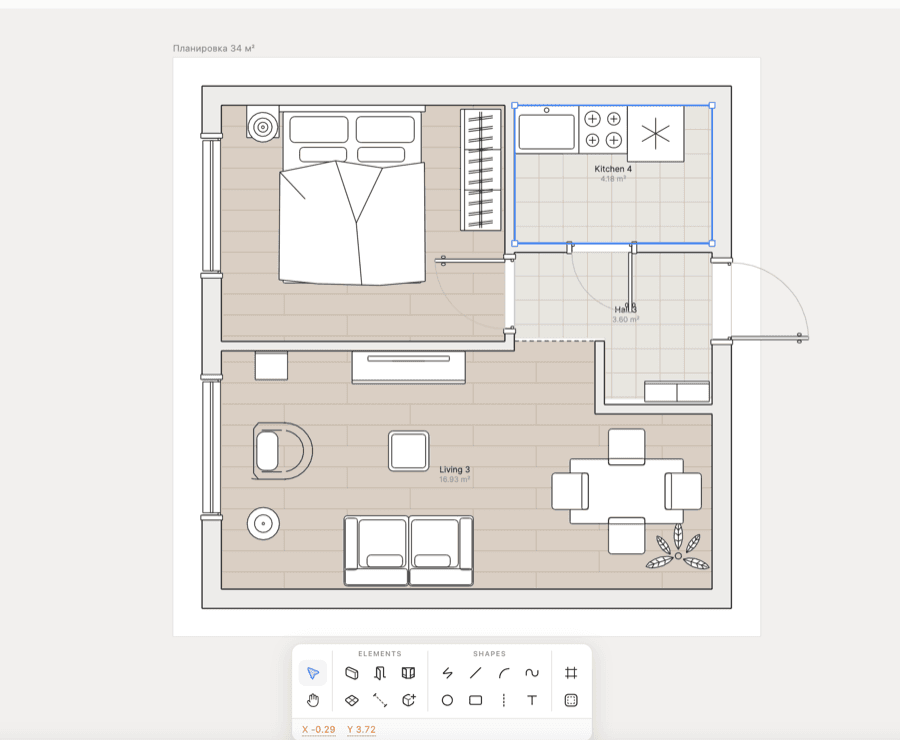
Most people typing this are not unhappy with SketchUp as a modeller. They are looking because it stopped being free. SketchUp’s own plans page now lists Go, Pro and Studio and no free tier; what remains is a seven-day Pro trial and SketchUp for Schools. The cheapest way in is Go at $10.75 a month on an annual plan, and Go does not include the desktop app. (Checked September 2026.)
So the right replacement depends on what you were using it for. Woodworkers and people drawing parts want parametric CAD. People planning a room want a floor planner with furniture. Architects and anyone modelling curved forms want a surface modeller. Those are three different tools, and the list below is sorted that way rather than by popularity.
All eleven at a glance
| Tool | Free option | Paid from | Best for | Watch out for |
|---|---|---|---|---|
| Blender | Free, open source | — | Rendering, sculpting, freeform modelling | Steep, and not built around measured drawings |
| FreeCAD | Free, open source | — | Parametric parts and furniture joinery | The interface takes real time to learn |
| Fusion (personal use) | Free, non-commercial | Commercial licence | Woodworking and hobby parts | Only for personal projects under $1,000 a year |
| Onshape | Free, public documents | $1,500/yr | Parametric CAD in a browser | Free documents are public and non-commercial |
| Shapr3D | Free, 2 projects | $299/yr | Direct modelling on iPad and Mac | Free exports are basic resolution only |
| Rhino 8 | — | $995 once | Curved surfaces and architecture | No subscription, but a large payment up front |
| Sweet Home 3D | Free | — | Floor plans with furniture, offline | Dated interface |
| Homestyler | Free, watermarked | From $6.80/mo | Room design in a browser, large catalogue | Watermark on free renders; 3 AI credits in total |
| Planner 5D | Free, about half the catalogue | $19.99/mo | Room layouts on any device | Renders and plan upload are paid |
| RoomSketcher | Free, watermarked | $24/mo | Floor plans for listings | Outputs are metered in credits even when you pay |
| Floorplanner | Free, 5 projects | $5/mo | Quick floor plans in a browser | Free exports are standard definition with a watermark |
| SketchUp, for reference | 7-day trial | $10.75/mo annual | General 3D modelling | No free plan; Go has no desktop app |
If you build furniture or draw parts
This is where most of the SketchUp exodus is coming from — woodworkers who learned it because it was free. What they need is parametric modelling: change one dimension and the rest of the piece follows.
- Fusion for personal use is the closest thing to a free professional tool. Autodesk limits it to personal, non-commercial projects and to people earning under $1,000 a year from them. (Checked September 2026.)
- FreeCAD is fully open source with no such limit, which makes it the honest answer for anyone selling what they make. It asks for more patience than Fusion does.
- Onshape runs entirely in a browser and its free plan has no project cap, but every document on it is public. Fine for a bookshelf, wrong for a client job.
If you are planning a room
A lot of people used SketchUp for interiors because nothing else was free and precise. The tools built for rooms are now better at this than SketchUp ever was, because they come with furniture already modelled.
- Sweet Home 3D is free and works offline. It is the one option on this list with no paid tier waiting behind the free one.
- Homestyler has the largest catalogue of the browser planners and unlimited renders at 1K, but a watermark on every free image. Paid plans start from $6.80 a month. (Checked September 2026.)
- Planner 5D gives you about half its catalogue free; renders and uploading your own plan are paid. RoomSketcher is stronger on the floor plan itself and meters everything in credits.
- Floorplanner lets you keep five free projects, exports them at standard definition with a watermark, and sells higher resolution by the credit.
If you model buildings or curved forms
- Rhino 8 is a one-time purchase of $995 for a single user on Mac or Windows, and the licence does not expire. Over three years that costs less than SketchUp Pro billed monthly. (Checked September 2026.)
- Blender is free and far stronger at rendering than SketchUp. It was built for animation, so measured architectural work takes add-ons and discipline.
- Shapr3D is the most natural on an iPad with a pencil. The free plan holds two projects; Pro is $299 a year. (Checked September 2026.)
Which one to pick
Selling what you make: FreeCAD. Hobby furniture: Fusion for personal use. A room for yourself: Sweet Home 3D, or Homestyler if you want a bigger catalogue. Buildings and curves, paid once: Rhino. Rendering: Blender.
Where Decato fits, and where it does not
Decato is not a SketchUp replacement, and it would be misleading to list it as one. It does not model. You cannot draw a staircase or a joint in it.
It starts later in the process: from a floor plan you already have, it lays out the room with real products you can order, checks each one fits, and returns a priced list. If what you were doing in SketchUp was furnishing a room rather than modelling it, that is the part it does. Planning is free on your own ChatGPT, Claude or Gemini key; product matching and renders are paid from $20 a month. It runs on Mac and Windows. (Checked September 2026.)
FAQ
What is the best free alternative to SketchUp?
It depends on the job. FreeCAD for parts and furniture you intend to sell, Fusion for personal use for hobby projects, Sweet Home 3D for planning a room, and Blender for rendering. All four are free with no trial clock.
Is there still a free version of SketchUp?
Not as a plan. SketchUp lists Go, Pro and Studio and nothing free; the free routes are a seven-day Pro trial and SketchUp for Schools for primary and secondary education (Checked September 2026).
What do woodworkers use instead of SketchUp?
Mostly Fusion for personal use and FreeCAD. Both are parametric, which suits furniture better than SketchUp’s push-and-pull modelling: change a board thickness and the joinery updates with it.
Is there a SketchUp alternative for Mac?
Most of this list runs on a Mac: Blender, FreeCAD, Rhino, Shapr3D and Sweet Home 3D install natively, and Onshape, Homestyler, Planner 5D, RoomSketcher and Floorplanner run in a browser. The exception worth knowing is Fusion, which runs on Mac but is cloud-dependent.
Is Rhino cheaper than SketchUp?
Over a few years, usually. Rhino 8 is $995 once with a licence that does not expire; SketchUp Pro is $33.25 a month on an annual plan, which passes $995 in about two and a half years (Checked September 2026).
Related on Decato
Turn the idea into a room you can buy.
Decato sources real products to your plan — fit-checked, on budget, with a client-ready spec.